Travel day: leave by ~8:25am · Vela Air 812
Trip Underway
Travel planning, unleashed.
Your entire travel day, timed to the minute.
Someone's counting on you. Trip Underway keeps their travel organized.
Forward your confirmations to build a day-by-day board, then follow every flight, priority lane, and hotel check-in across web, iPhone, iPad, Mac, and Apple Watch.
Free forever plan · No credit card · Log in

What Trip Underway does
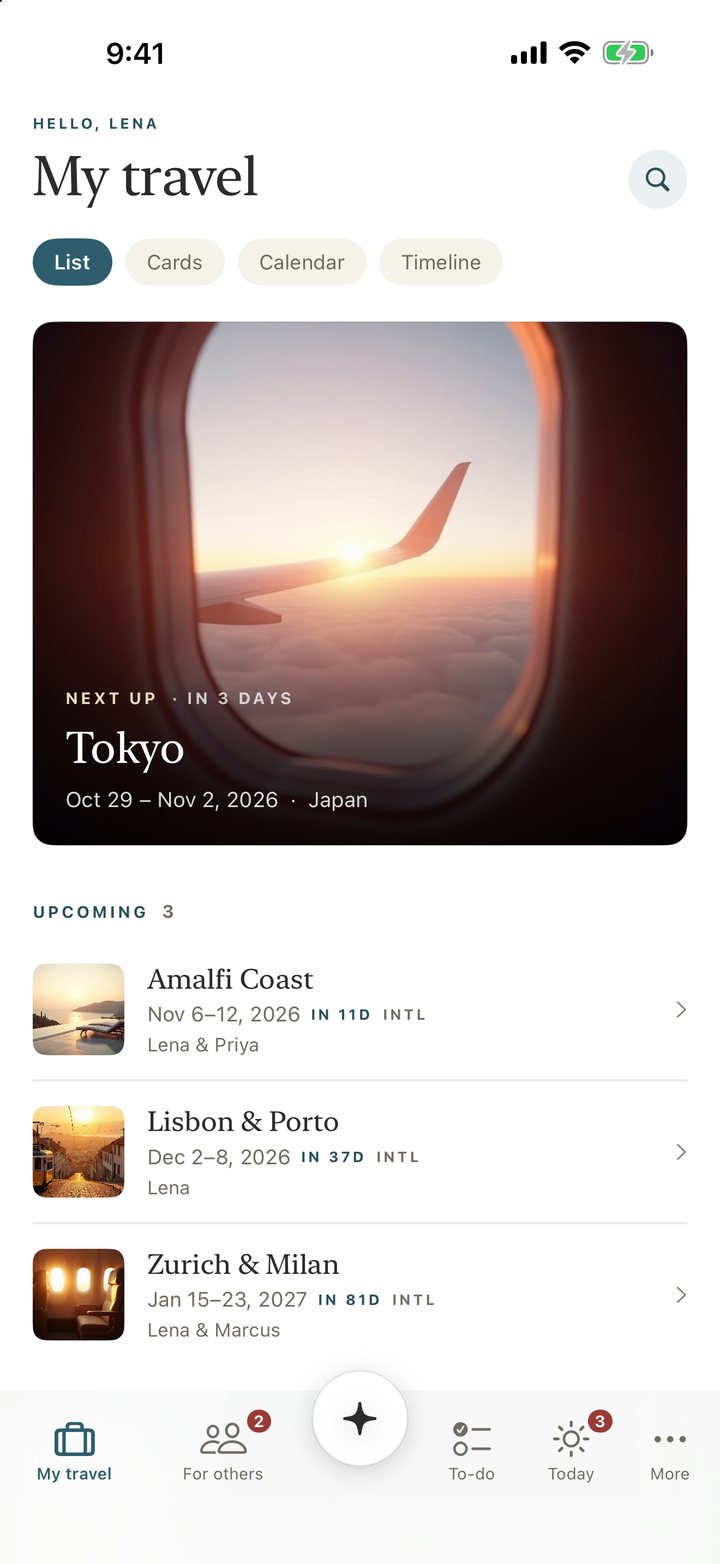
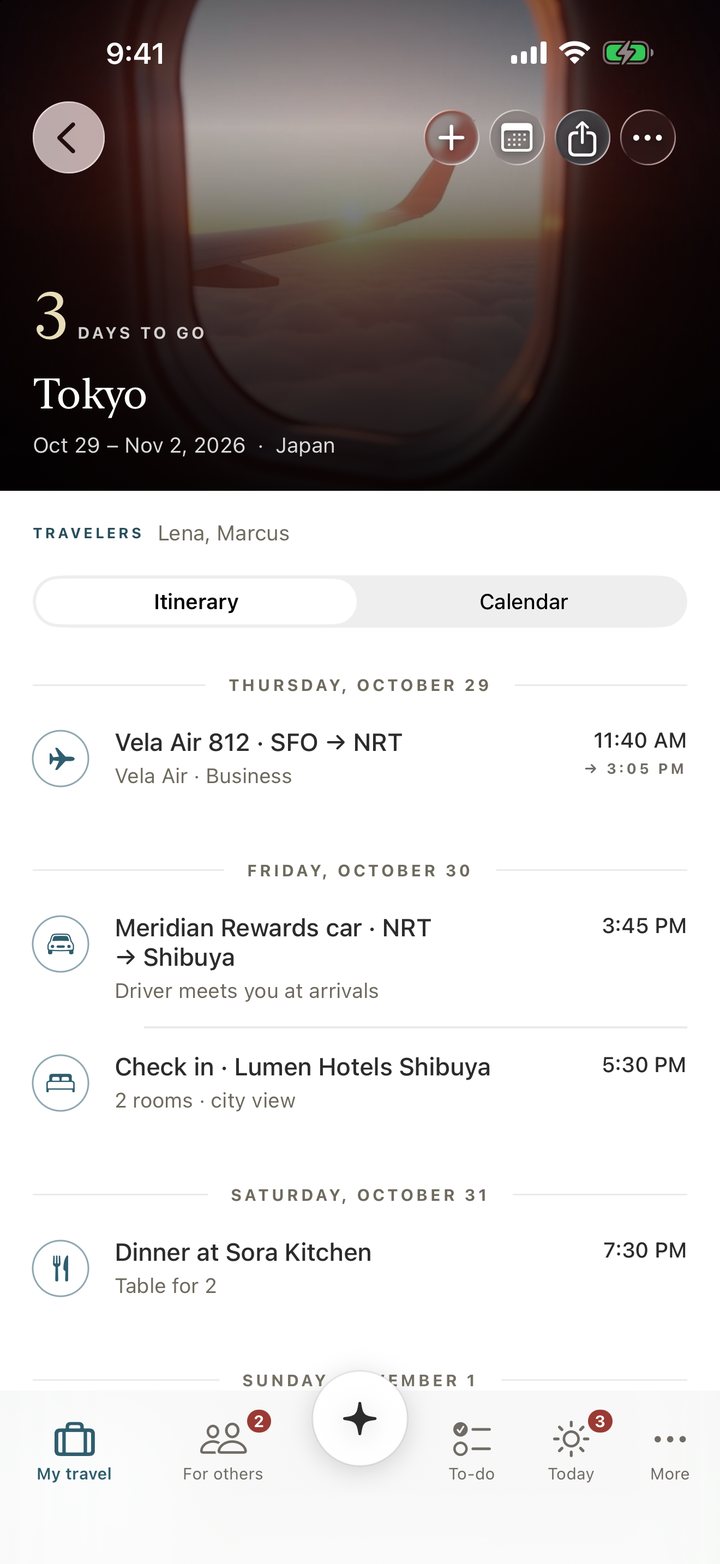
Follow your travel day from departure to hotel check-in.
Start with the confirmation email weeks ahead, then follow your schedule through to the hotel desk after landing.
Weeks beforeForward any confirmation email
Forward flight, hotel, and car confirmations to your own address for instant day-by-day filing.
EveryoneOne board for every traveler
Give your partner, children, parents, or clients their own board and forwarding address.
At the gateLive countdowns on the Lock Screen
Track departure, boarding, gate changes, and landing on iPhone, Apple Watch, and CarPlay.
At the airportFast lanes at 231 airports
Find the curb, check-in, security, and passport lanes you qualify for with your ticket and status.
AnytimeCaleyna updates plans by voice
Ask questions or change the time of a plan on web, iPhone, and Mac, with instant undo.
The next tripAward deals checked against availability
Forward deal emails to rank value and verify live award space before booking.
Weeks before departure
Forward a confirmation to start your day-by-day trip.
Send any flight, hotel, car, or agency email to your private address, or connect Gmail in read-only mode to review and accept past trips one by one. Bookings merge into the trip they belong to, rebooked flights update in place, and separate one-way tickets join together.
- 01Confirmation lands at your private address
- 02Filed onto the right traveler's board
- 03Rebooked flights update the existing row
- 04Two one-way tickets join into one trip
In internal testing, 218 of 218 real confirmation emails parsed into day-by-day trips.
Confirmation VX4K2M · Passenger Lena Voss
SFO → NRT · 11:40am · one-way fare
Confirmation VX4K2M updated
SFO → NRT · 11:40am (was 8:05am)
Everyone you plan for
Give each traveler you plan for their own board.
Set up a separate board and private forwarding address for your partner, children, parents, or a client. Their confirmations, delays, gate changes, and cancellations go straight to their board, while any trip you take together stays right on yours.
At 6am on travel day
Get your full day's schedule in a morning email.
At 6am, or whichever hour you choose, a summary email delivers your full timeline for the day. The subject line tells you when to head out: "Travel day: leave by ~8:25am."
Travel day: leave by ~8:25am · Vela Air 812
At the airport curb
The fast lanes your ticket and status open, at 231 airports.
Each flight card lists the exact lanes every traveler qualifies for, from curb and check-in to security and passport control, backed by primary sources. Your status card holds 23 airline programs plus TSA PreCheck, CLEAR, Global Entry, and Mobile Passport Control.
Departures curb, Zone B
Business Class ticketdelta.comDepartures level, Door B, steps from the curb
Business Class ticketDelta News HubFrom Delta One Check-In, straight to the lounge
Business Class ticketDelta News HubMain checkpoint, paired with CLEAR
TSA PreCheckclearme.com
At the gate and aloft
Every countdown and gate change on your Lock Screen.
Check your iPhone Lock Screen, Dynamic Island, Apple Watch, or CarPlay for countdowns to leaving, airline boarding, final boarding, and landing. The card shows gate changes and checks your flight at least every 30 minutes while you're in the air.
Touchdown and arrival
From the runway to the curb, step by step.
When you land in the U.S. or the Schengen Area, the card turns to the next step: "Passport control, bags, then customs." Destination alerts for storms, quakes, and floods appear on the trip and mark an all-clear once they pass.

Trip Underway · Tokyo
Landed 3:05pm localPassport control, bags, then customs
- Passport control
- Bags
- Customs
Before hotel check-in
The upgrade to ask for, by name.
Before you reach the front desk, a reminder names the room you hold, the rooms above it, and what your hotel status lets you ask for.

Mid-trip adjustments
Ask Caleyna to shift your schedule by voice or text.
On web, iPhone, and Mac, ask Caleyna about your itinerary or change a plan's time, such as moving your car pickup to 11:30am. Every edit shows the new time and the old time (Now and Was) next to a one-tap Undo.
For the next trip
Check a deal before you book.
Forward flight and hotel deal emails to rank them by value. Live award availability is checked before a deal is marked bookable. You can also ask Claude about your deals directly through the Trip Underway connector.
"What's the cheapest business-class deal to Tokyo this month?"
Use deals_best() to get answers from your tracked deals, ranked by value.
Every screen you carry
Keep your trip current across every screen.
Follow your trip on web, iPhone, iPad, Mac, and Apple Watch. Share a live trip link that stays current, subscribe to a calendar feed, or export everything as one file.
How it compares
See each person's bookings together for the whole trip.
Forward a confirmation to group your flights, hotels, and cars into one trip. Each person gets a board, along with a shareable trip link and a day-of briefing.
Real confirmation emails parsed into trips in internal testing.
Airports with priority lanes backed by a primary source.
Airline programs in the status card, plus TSA PreCheck, CLEAR, Global Entry, and Mobile Passport Control.
| What you get | Trip Underway | TripIt Pro | Flighty Pro | Tripsy Pro | Spreadsheet and inbox |
|---|---|---|---|---|---|
| Forward a confirmation, get a parsed trip | Yes, from any of your addresses | Yes | Flights only | Yes | Retype it |
| A rebooking updates the same row | Yes | No | Flights only | No | By hand |
| Separate one-way tickets join into one trip | Yes | No | n/a | No | By hand |
| A board for each person you plan for | Yes, each with its own address | No | Friends' flights | No | More tabs |
| A day-of briefing | Yes, at the hour you pick | No | Flights only | No | No |
| Hotels, cars, and the whole trip | Yes | Yes | Flights only | Yes | By hand |
| A shareable trip link | Yes, it stays current | No | Friends' flights | Partly | Email the file |
| Starting price | $0 Free, Traveler $79 a year | $49 a year | $59.99 a year | $59 a year | Your time |
Rival features and prices are from each vendor's own pricing page, read November 10, 2026, and our published comparison data at /competitive-data.json.
Switching from TripIt
Bring your TripIt history and get six months of Traveler.
Connect your TripIt account to import every past trip into Trip Underway, and receive six months of the Traveler plan on us.
Connect TripItPlans and pricing
Start free, or choose the plan that fits how you travel.
Compare Free, Traveler, Family & Team, and Trip Pass.
Free
- Connect TripIt and one unified trip board
- Day-by-day itinerary view
- Shareable trip links
Traveler
- Everything in Free
- Live flight alerts and day-of briefings
- A labeled board for each person you plan for
- Deals with verified award alerts
- Passport and visa expiry checks
Family & Team
- Everything in Traveler, for all six
- Each person signs in with their own account
- Per-traveler boards and forwarding addresses
- Each added person: $29 a year
Trip Pass
- Traveler features on one trip
- Keep the trip for good with one payment
As an assistant, chief of staff, family office, or travel advisor, use Trip Underway Pro to give each traveler you plan for a labeled board and forwarding address.
See Trip Underway ProQuestions
Frequently asked questions.
What is Trip Underway?
Keep every trip in your life in Trip Underway. Forward confirmation emails to your own Trip Underway address to organize flights, hotels, and cars by day, with duplicates removed. Each board holds the trip's bookings for you or someone you plan for. Send from any of your addresses, and connect Gmail to bring in past trips.
Does Trip Underway read my inbox?
You choose. Forward a confirmation from any of your addresses to your private Trip Underway address and it files in seconds. When you want your past trips too, connect Gmail in read-only mode to review and accept each trip before it lands.
How much does Trip Underway cost?
Free is $0 forever. Traveler is $79 per year. Family & Team is $149 per year for six people, each with their own sign-in, plus $29 per year for each person you add. Assistants, family offices, and advisors run Trip Underway on this plan. Trip Pass is $29 once and gives you one trip for good. No credit card is required to start free.
How accurate is the parsing?
In testing, the parsing engine processed 218 real confirmation emails with zero failures. Non-standard and non-English formats are visibly flagged so you can find them.
What happens when a flight gets rebooked or canceled?
When you receive a rebooking or reissued confirmation, it updates the existing reservation in the same row. Separately booked one-way legs automatically join into a single round trip.
Can I connect Trip Underway to Claude, ChatGPT, or another AI?
Yes. Use the Open Authorization (OAuth)-secured Model Context Protocol (MCP) connector to sign in with Google, search, rank, and verify tracked deals, and arm deal hunts from your AI. It works with Claude today; ChatGPT and Grok both speak the same MCP protocol. See the connector setup guide for details.
Is there a free plan, and do I need a credit card?
Yes. The Free plan is free forever, no credit card required, and you can upgrade any time from inside the app.
I coordinate travel for other people. Is Trip Underway for me?
Yes. Executive assistants, chiefs of staff, family-office staff, and travel advisors use Trip Underway Pro to plan travel for others. Each traveler gets a labeled board and their own forwarding address to keep their plans together. See Trip Underway Pro for more about planning travel for others.
Which devices does Trip Underway run on?
Trip Underway runs on the web; on iPhone and iPad with iOS 18 or later; on Mac with macOS 15 or later, with a free download at tripunderway.com/download; and on Apple Watch. The Lock Screen card also appears in CarPlay. One account gives you the same trips everywhere.
What does the Lock Screen countdown show?
On the iPhone Lock Screen and Dynamic Island, one card per trip shows Leave in, Boards in (the airline's published boarding time), Final boarding in (when the airline publishes it), Lands in, and Landed. It shows gate changes, checks the flight at least every 30 minutes in flight, and after a U.S. or Schengen Area landing says “Passport control, bags, then customs.”
How do the airport priority lanes work?
Each flight card lists the curb, check-in, security, and passport lanes each traveler qualifies for and why, such as a Business Class ticket or TSA PreCheck, with each lane backed by a primary source across 231 airports. Your status card holds 23 airline programs, plus TSA PreCheck, CLEAR, Global Entry, and Mobile Passport Control.
What can Caleyna do?
Caleyna is your assistant on the web, iPhone, and Mac. Ask about your trips, add a plan, create a trip, or change a plan's time. You can also talk by voice on iPhone and Mac. Each change shows Now and Was, with See it in the trip, Edit, and Undo.
Can I share or export a trip?
Share a trip link that stays current as your plans change, subscribe to a calendar feed that works in any calendar app, or open Settings to export everything as one file whenever you want a copy of your trips.
What arrives in the morning briefing?
On each travel day, your summary email arrives at 6am local by default, or at the hour you select in Settings: 5am, 6am, 7am, or 8am. It maps the day’s timeline, including when to leave (“Travel day: leave by ~8:25am · Vela Air 812”), flight details, local landing times, car pickup, and hotel check-in. You choose the sections in Settings.
How does the hotel upgrade reminder work?
Before hotel check-in, your reminder reads your rate, names the room you hold and the rooms above it, and quotes what your hotel program’s terms let you ask for. It also gives you the line to use at the desk: “the best room you have open.” A paid upgrade at the desk often costs less than the price online.
How do deals and award alerts work?
Forward your flight and hotel deal emails, and Trip Underway reads them, removes duplicates, and ranks them by value. It checks award space again against live availability before showing “cache-confirmed ✓” with the seat count. Through the Trip Underway connector, you can ask Claude about your deals using deals_best and other tools, and arm deal hunts.

Forward an email to start your trip.
Send your first confirmation today to build an itinerary you can follow across every device you carry.
Add your email to the iPhone list and we'll send your invitation.